Credential Programs
Certificate of Clearance Guide
The Certificate of Clearance is issued by the California Commission on Teacher Credentialing (CCTC) when an applicant has fully cleared their background check with the FBI, DOJ, and state/local police departments. This official clearance is required for admission to the credential program. Please Note: Clearance can take 8 to 10 weeks if there are no issues with your name, SSN, or the background check. If there are any issues, it can take months to receive this document. We recommend starting this process early.
Step 1: Live Scan
Before applying for your Certificate of Clearance, you will need to visit a Live Scan location to have your fingerprints processed. If you already have an account with the CCTC that includes issued documents, please skip to Step 2.
Step 1A.
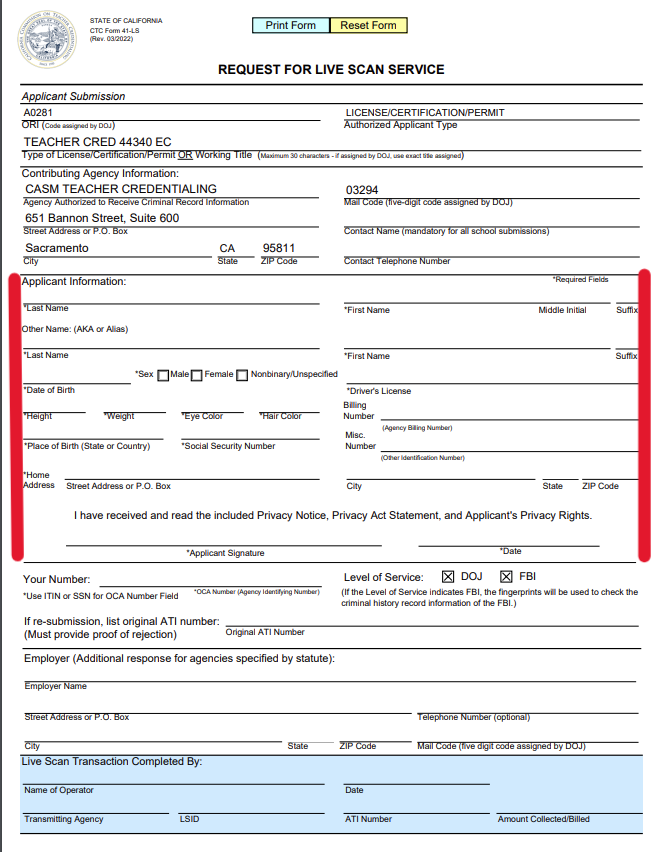
- Select the button below to access the Request for Live Scan Service form. Complete the section indicated in red and print 3 copies.
Request for Live Scan Service
Step 1B.
- Make an appointment at any Live Scan office listed below.
Live Scan Locations
Step 1C.
- Bring your government-issued photo I.D. and the 3 copies of your completed Request for Live Scan Service form to your appointment.
- Be prepared to pay a fee when you arrive. Live Scan fees can run in the $70 range depending on where you go.
- Keep a copy of the Live Scan receipt for you records.
Step 2: Apply for the Certificate of Clearance
Step 2A.
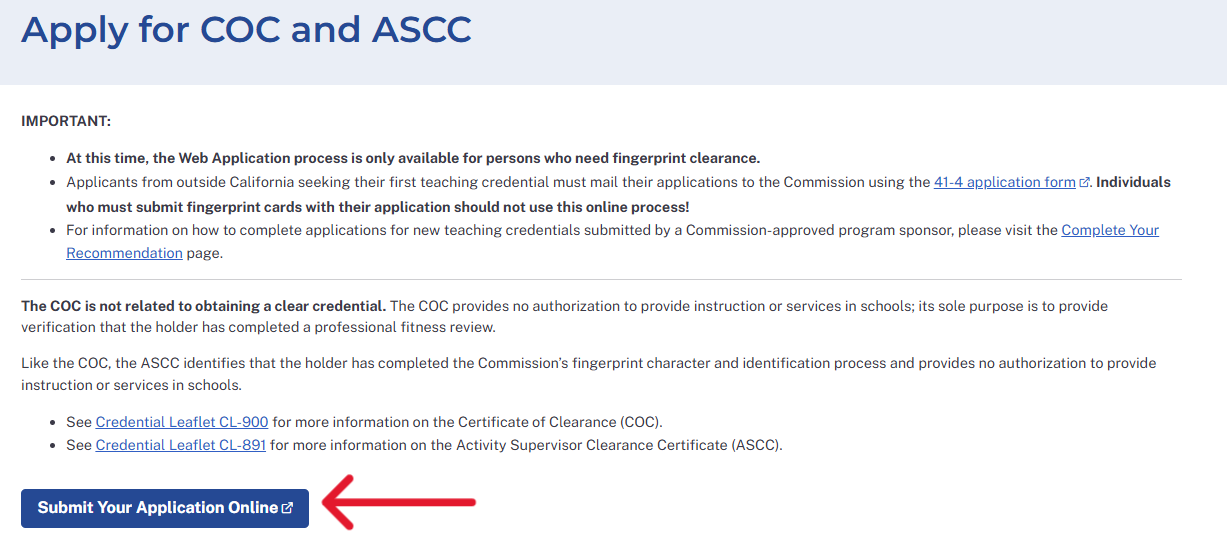
- After you visit Live Scan, go to the CCTC website below and click Submit Your Application Online.
Certificate of Clearance Application
Step 2B.
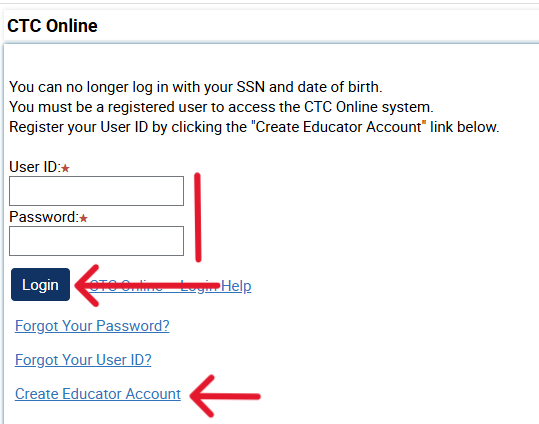
- If you already have a CCTC account, log in with your credentials. If you do not have a CCTC account, click Create Educator Account and follow the prompts.
Step 2C.
- Scroll to the bottom of the Educator Documents page and click Complete a Certificate of Clearance or ASCC Application.

Step 2D.
- Select Create New to begin the application.

Step 2E.
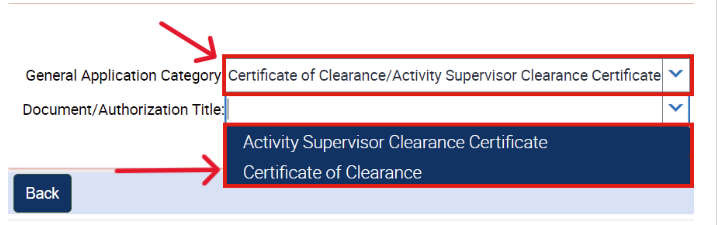
- Under General Application Category, select Certificate of Clearance/Activity Supervisor Certificate.
- Under, Document/Authorization Title, select Certificate of Clearance.
- Do not select Activity Supervisor Clearance Certificate.
Step 2F.
- Complete the Professional Fitness Questions.
Professional Fitness Questions Assistance
Step 2G.
- Submit the CCTC transaction fee of $52.65 and keep the receipt for your records.
Payment Module Assistance - You will be notified via email when the document is complete.
- It is recommended that you log into your CCTC account once per month in case you have missed any communications. You can check your application status by clicking the Application tab on your account.

Step 3: Program Application Attachment
- Attach the Certificate of Clearance to your Program Application.
- This document will be valid for 5 years.
- Please Note: Live Scan forms, CTC receipts, Sub Permits, Activity Supervisor Certificates, and Child Development Permits will not be accepted.
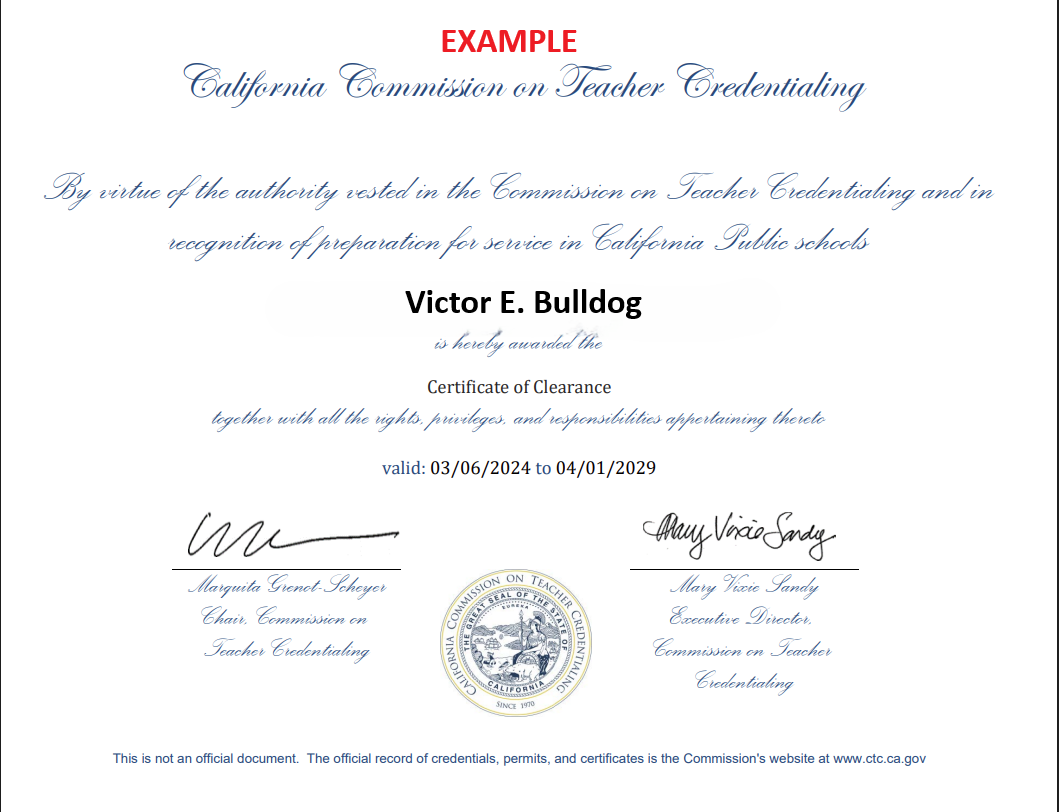
Certificate of Clearance Troubleshooting
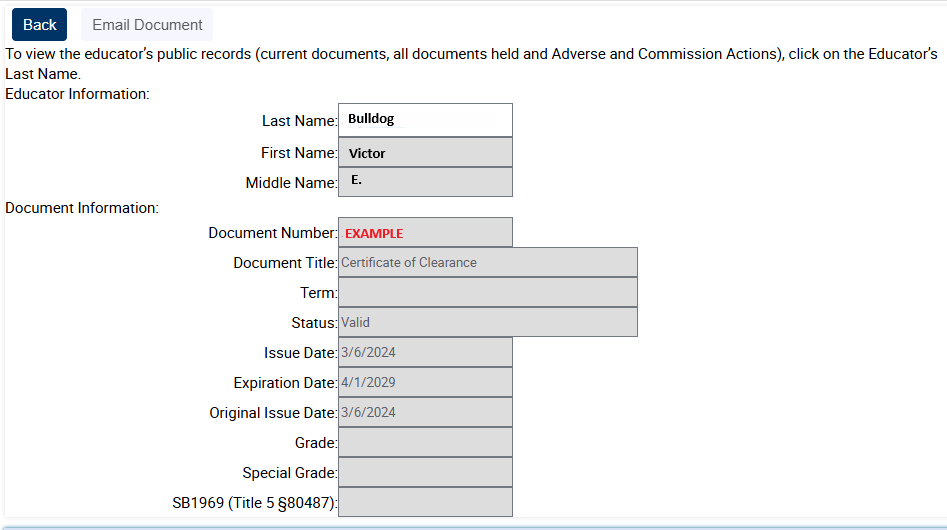
- If you cannot locate the official document in your email, check your Spam folder. If it is still not there, you can log into your CCTC account, click the Document Number link next to your Certificate of Clearance, and take a screenshot of the page. As long as this file is in PNG or JPEG format, we will accept it as an application attachment.
- For all other issues, it is recommended that you contact the CCTC directly using their
response form.
Contact the CCTC