Credential Programs
Mandated Reporter Training Guide
Credential program applicants must complete Mandated Reporter Training. This training teaches you what to do when you suspect that a minor is in danger of abuse or neglect. Certificate(s) of completion are required for admission to the credential program.
Step 1: Create An Account or Log In
Visit the link below to begin.
Mandated Reporter Training
Step 1A.
- At the top of your screen, select Start Now to create a new account. If you already have an account, select Log In.

Step 1B.
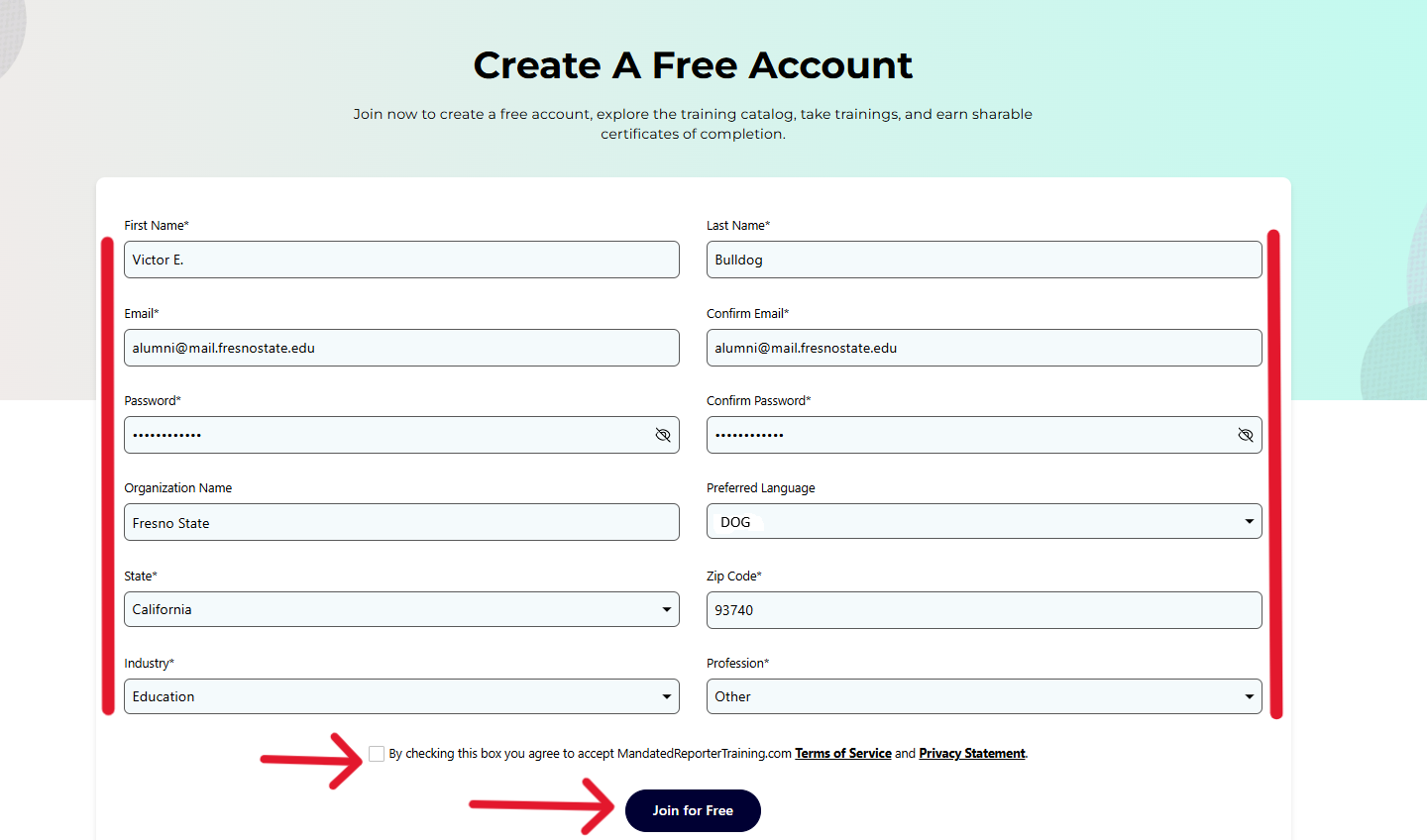
- If you selected Start Now, you will fill in the information below.
- Enter First Name and Last Name
- Enter your Email and Confirm your Email
- Create a Password and Confirm your Password
- Enter Fresno State as your Organization Name
- Select your Preferred Language
- Select your State and Zip Code
- Select Education as your Industry
- Select Other as your Profession
- Check the box to agree to the Terms of Service
- Click Join for Free
Step 1C.
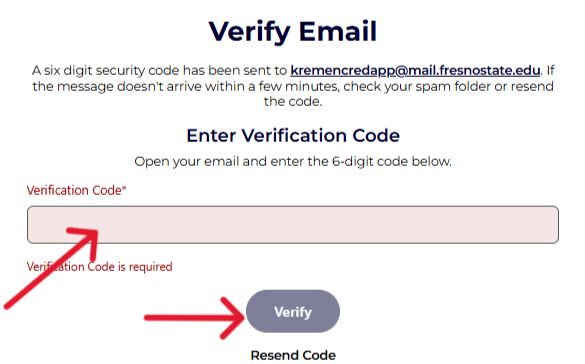
- You will receive a Verification Code to your email address. Enter the code in the space provided and click Verify.
Step 1D.
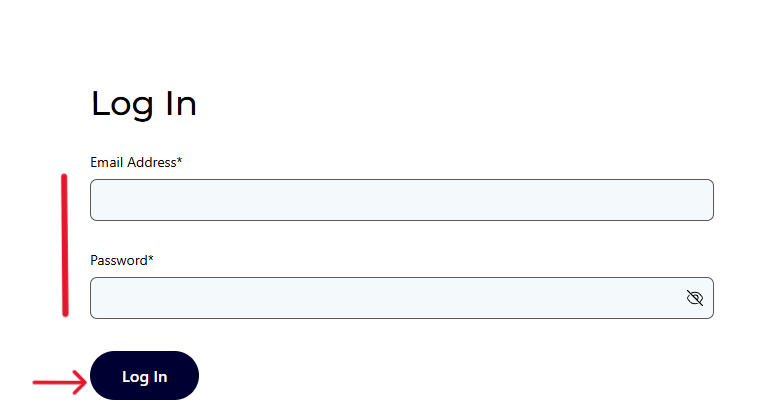
- Enter your Email Address and Password and click Log In. If you already have an account, you will be directed to this screen first and may proceed from there.
Step 2: Locating Your Training
Step 2A.
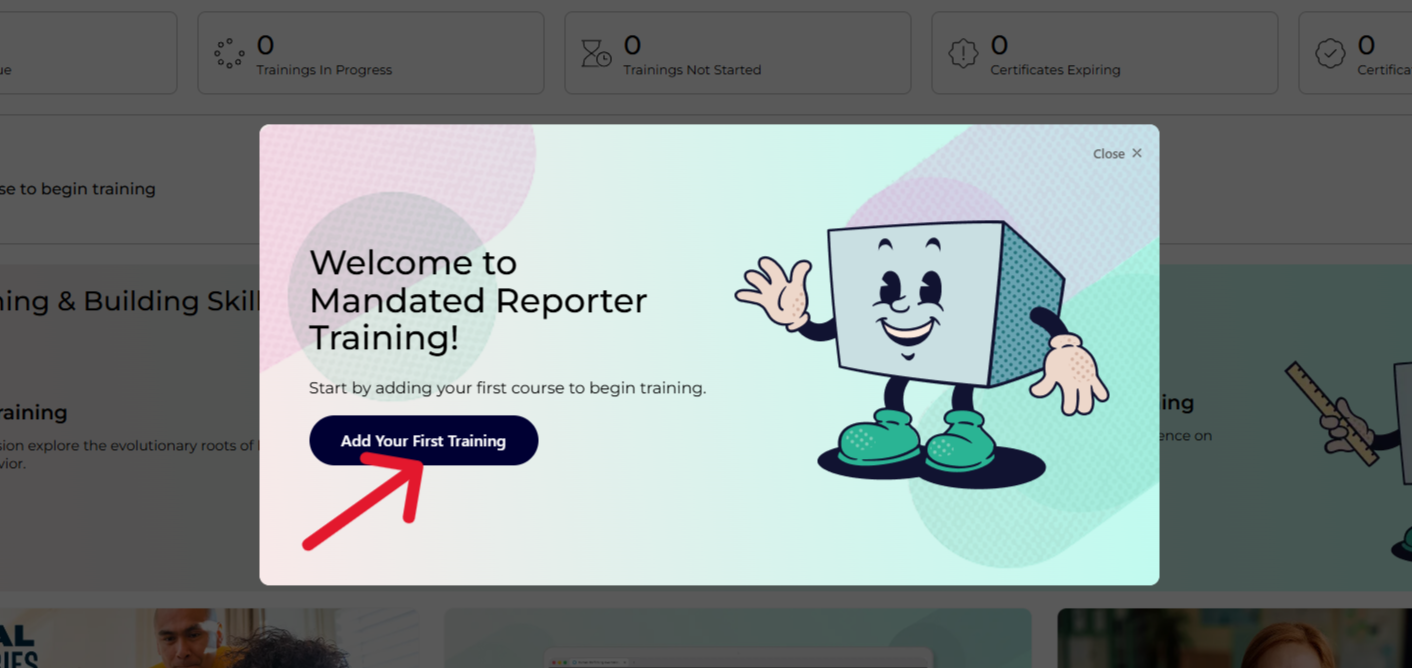
- If you are logging in for the first time, you will receive a pop-up message. Click Add Your First Training.
Step 2B.
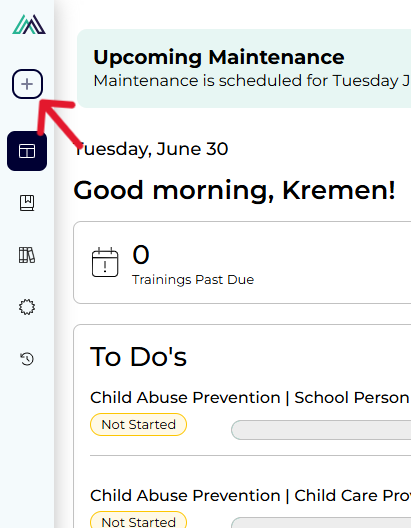
- If you have logged in before, you can add a training by clicking the Plus Sign on the left-hand panel of the screen.
Step 2C.
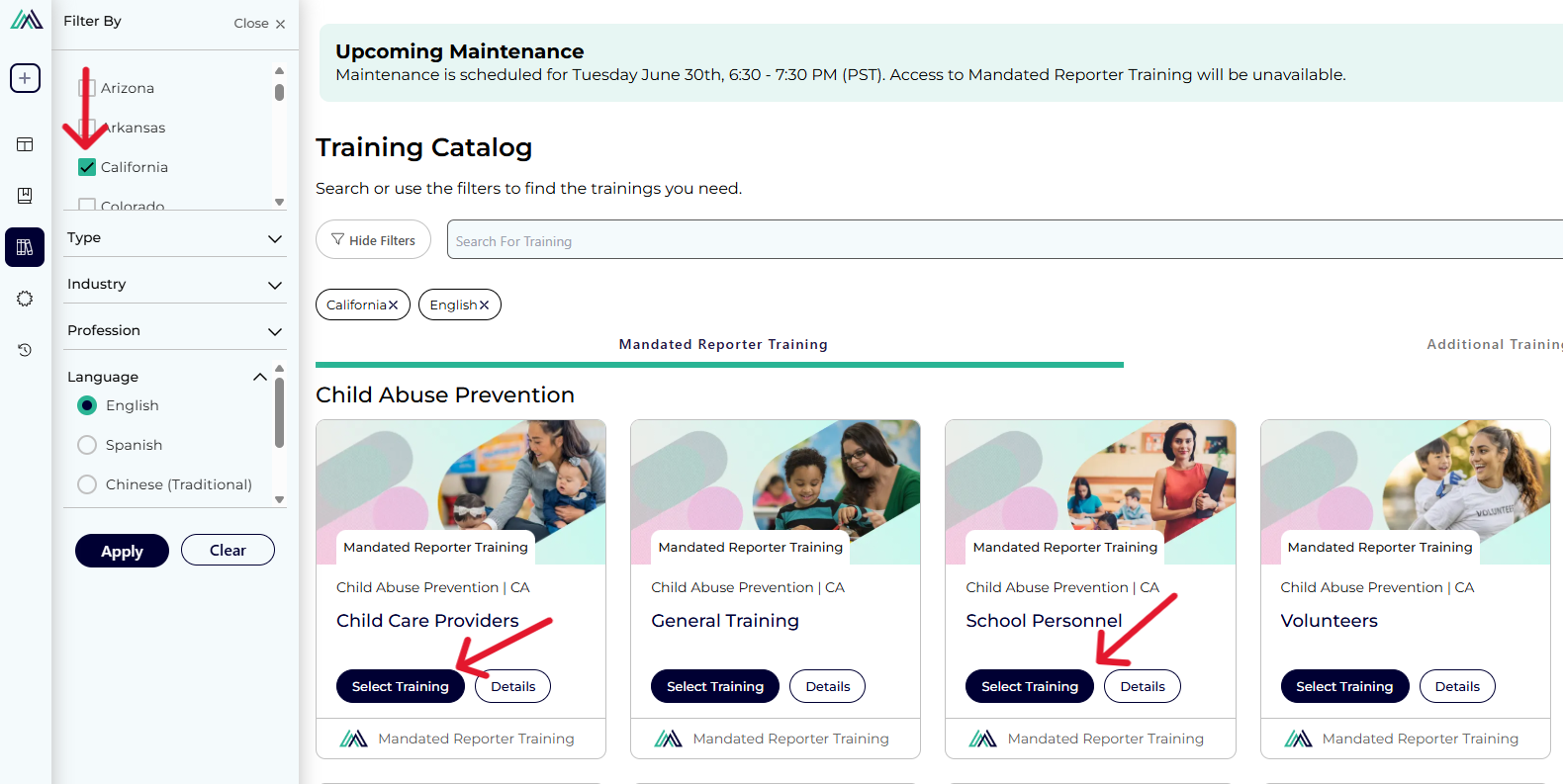
- On the Training Catalog page, make sure the box is checked next to California in the left-hand panel.
- If you are applying for Multiple Subject, Dual, Education Specialist, or Single Subject, click the Select Training button under Mandated Reporter Training for School Personnel.
- If you are applying for PK-3, click the Select Training under both Mandated Reporter Training for Child Care Providers and Mandated Reporter Training for School Personnel.
Step 2D.
- After you select your training, a dialog box at the bottom of the screen will show what you have added to your cart. Click Add Trainings.

Step 3: Complete Your Training
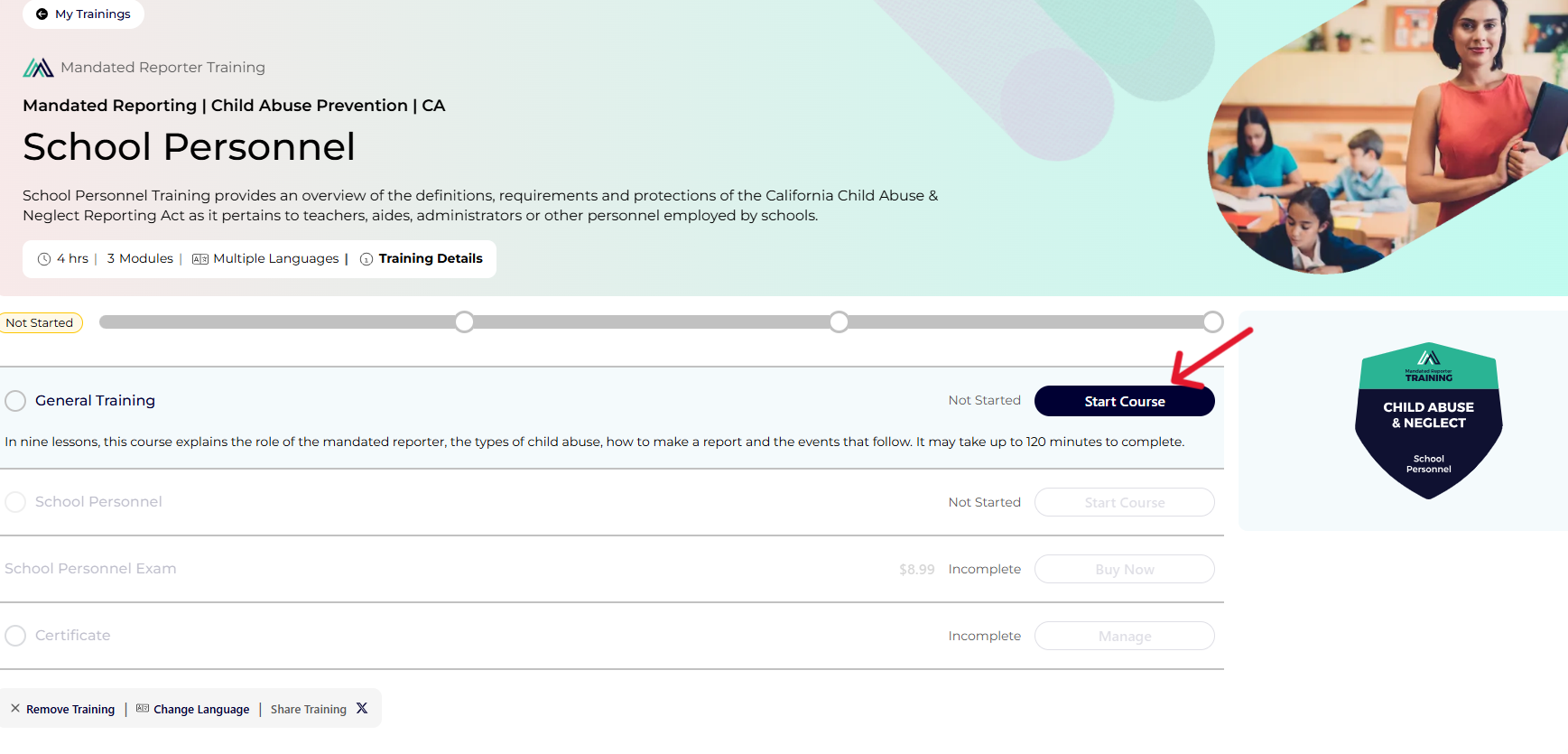
- Click Start Course to begin your training. You will go through each module until you are issued the Certificate at the end.
- Please Note: There will be an $8.99 fee for the Exam.
Step 4: Program Application Attachment
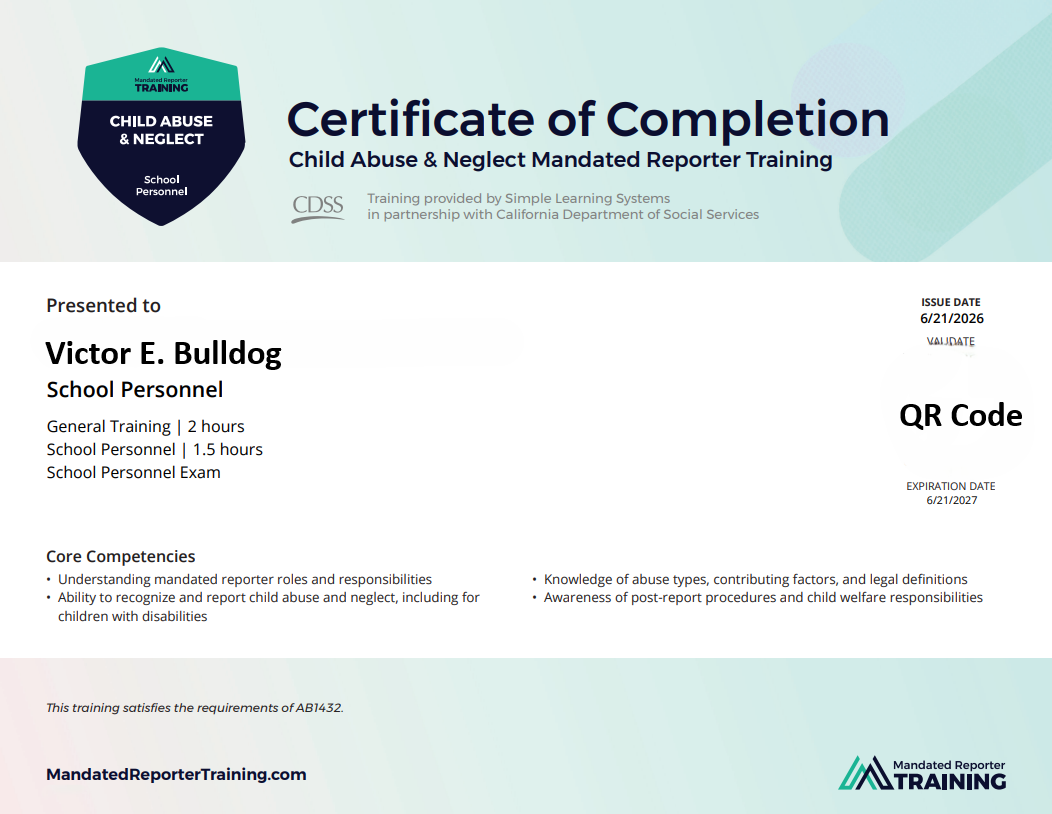
- If you are applying for Multiple Subject, Dual, Education Specialist, or Single Subject, attach your School Personnel Certificate to your Program Application.
- If you are applying for PK-3, attach both your School Personnel Certificate and Child Care Providers Certificate to your Program Application. The Child Care Providers Certificate can be attached under Additional Documents if you are running out of space.
- Please Note: General Training Certificates and Child Abuse Prevention Training Certificates will not be accepted.
- Certificate(s) should have valid dates that are within 1 year of your application submission; otherwise, you will need to renew the document before applying.
- If you are a reapplicant, you will automatically need to renew your document before reapplying.
Mandated Reporter Training Troubleshooting
- If you have completed a Mandated Reporter Training outside of the website above, it is recommended that you run the certificate by Credential Admissions to make sure it is acceptable: kremencredapp@mail.fresnostate.edu.
- For technical issues with the Mandated Reporter Training website, please visit their
Help Center or submit a technical support ticket.
Help Center Tech Support Ticket