Credential Programs
Kremen Program Application Guide
This application and its attachments are required for admission to the credential program. This guide will cover how to navigate the Kremen Program Application.
Step 1: Getting Started

A student ID number is needed to begin the application. This is issued within 1-2
weeks of submitting an application on Cal State Apply. If you have not received an
ID yet, please contact kremencredapp@mail.fresnostate.edu.
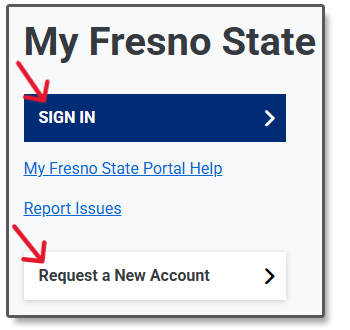
Log in to your MyFresnoState portal or click
Request a New Account if you do not have one already.
If you are a Fresno State alum whose email account has been deactivated, contact Technology
Services for assistance: 559.278.5000.
MyFresnoState
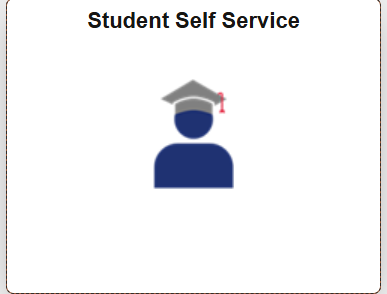
Once signed in, click on the Student Self-Service module.
Step 2: Completing the Application
Step 2A.
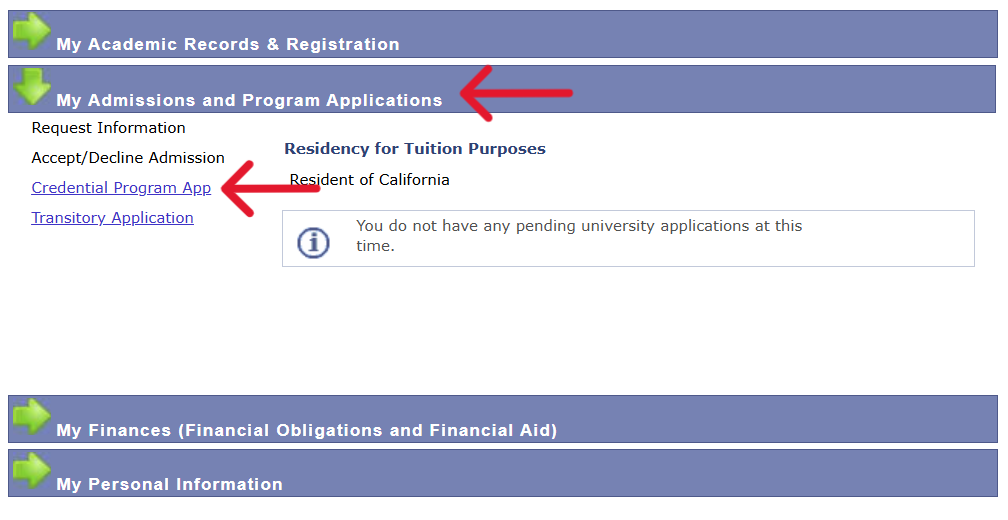
- Select My Admissions and Program Applications under the Student Center.
- Then, select Credential Program App.
Step 2B.
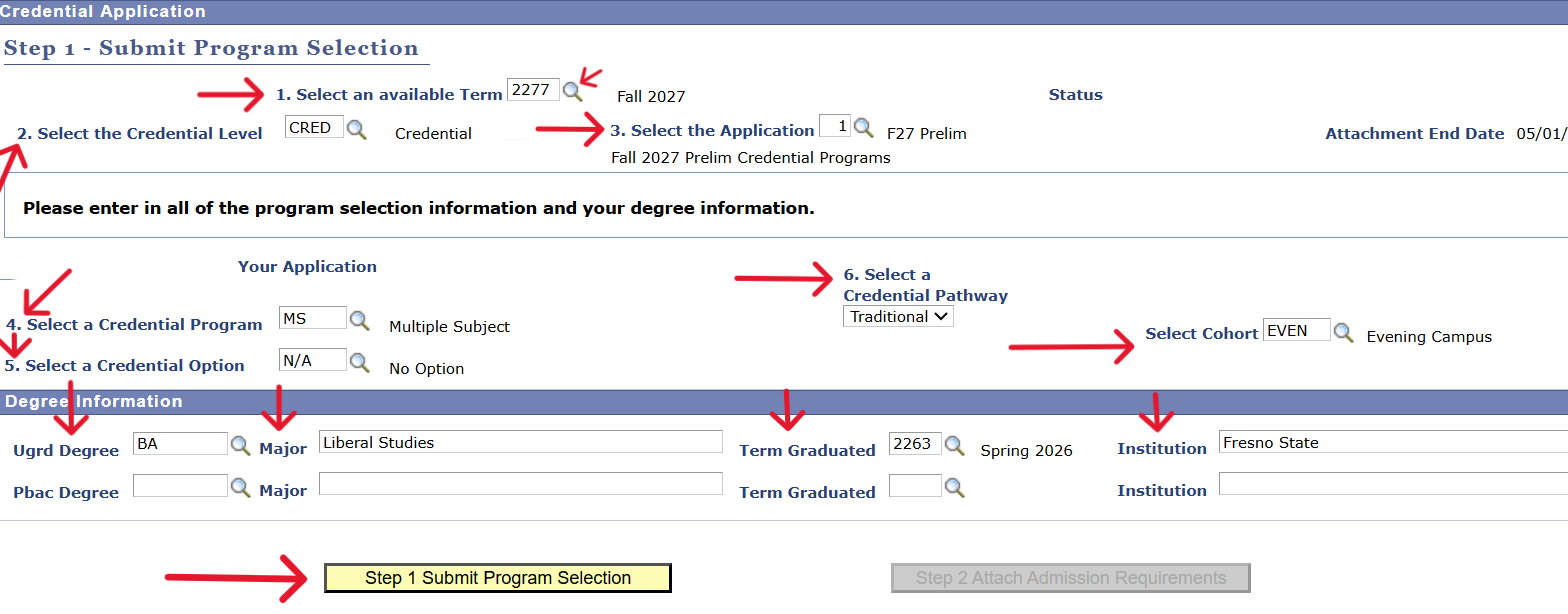
- Using the Search Glass, answer Questions 1 through 8. Example:
- 1) Fall 2027
- 2) Credential
- 3) F27 Prelim
- 4) Choose your credential program
- 5) Choose your option
- 6) Choose your pathway
- 7) Choose your cohort or your residency
- 8) Enter your Undergrad degree, major, term graduated, and university attended. If you have a master's degree, please repeat these steps in the next section.
- Select Step 1 Submit Program Selection.
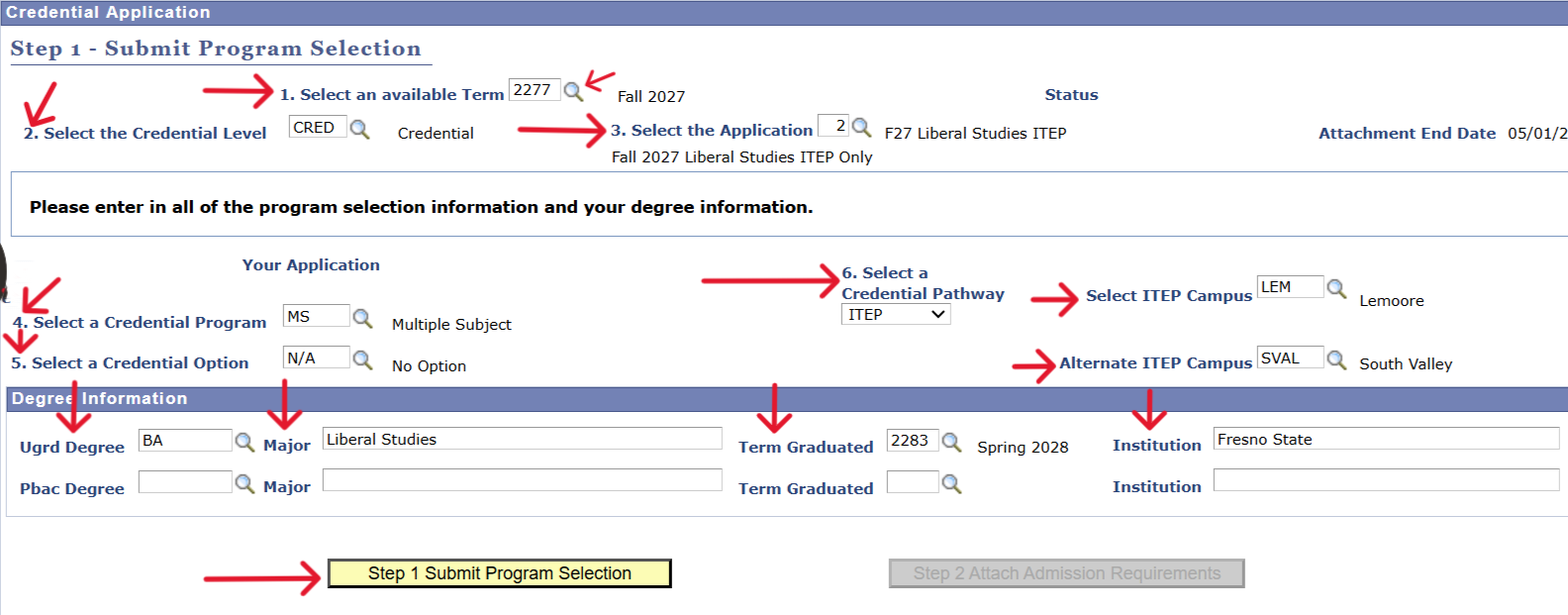
Liberal Studies ITEP Applicants:
- Using the Search Glass, follow this example:
- 1) Fall 2027
- 2) Credential
- 3) F27 Liberal Studies ITEP
- 4) Choose your credential program
- 5) Choose your option
- 6) Choose ITEP
- 7) Choose two ITEP campuses
- 8) For UGRD Degree, select BA; for Major, enter Liberal Studies; for Term Graduated, select Spring 2029; for Institution, enter Fresno State.
- Select Step 1 Submit Program Selection.
Step 2C.
- Upload your program attachments by selecting the Attach buttons.
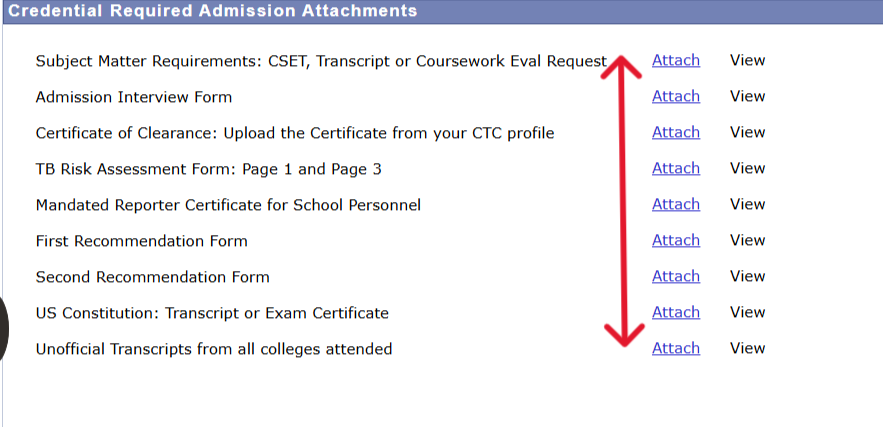
Step 2D.
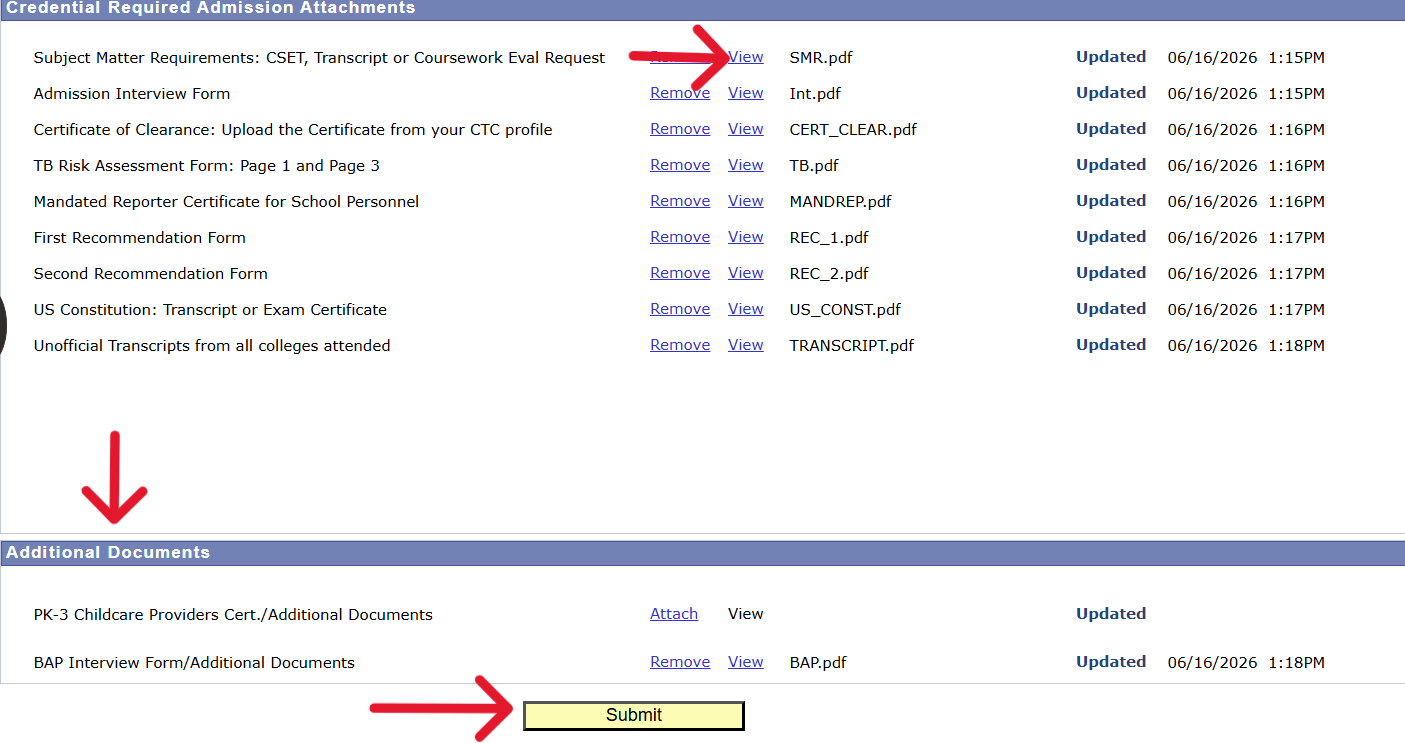
- Click View to ensure that everything has uploaded correctly.
- If you made a mistake, you can click the Remove button to reupload.
- If you run out of space, you can submit further attachments under Additional Documents.
- When you're done, click the yellow Submit button. You will receive confirmation that your application has been received via email.
Step 3: Checking Updates on Student Self-Service
Step 3A.
- You can check your application status by clicking the Credential Program App link again and looking at the top of the screen.

Step 3B.
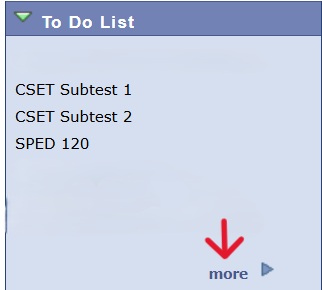
- If you are missing documents, this will be indicated under To Do List on your Student Center.
- Select More to view instructions.
Application Troubleshooting
- If you exit the application before you are done, you will need to answer Questions 1 through 3 again on the first
page with the same responses as before in order for your previous information and attachments to return. - Uploaded documents can be overwritten as long as your application is still in-progress:
- Use the Remove button.
- Then, the button will change to Attach and you can upload a new document.
- If your application has already been submitted and you made an error, contact kremencredapp@mail.fresnostate.edu.
- Re-applicants will also need to contact kremencredapp@mail.fresnostate.edu for assistance.