Credential Programs
Cal State Apply Guide
An application to Cal State Apply for the applicable start term is required for admission to the credential program.
Step 1: Getting Started
Visit the link below to begin.
Cal State Apply
Step 1A.
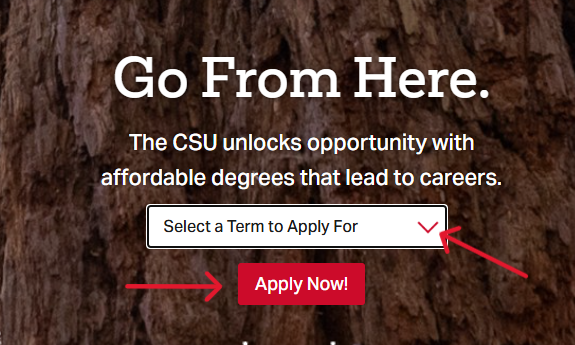
- Using the dropdown menu, select the start term of the program that you wish to apply for.
- Click Apply Now.
Step 1B.
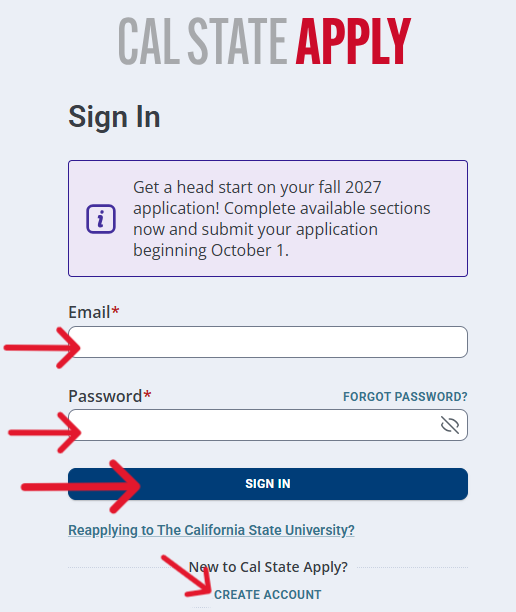
- If you do not have an account yet, click Create Account.
- If you do have an account or you have already started an application, log in with your Email and Password and click Sign In.
Step 1C.
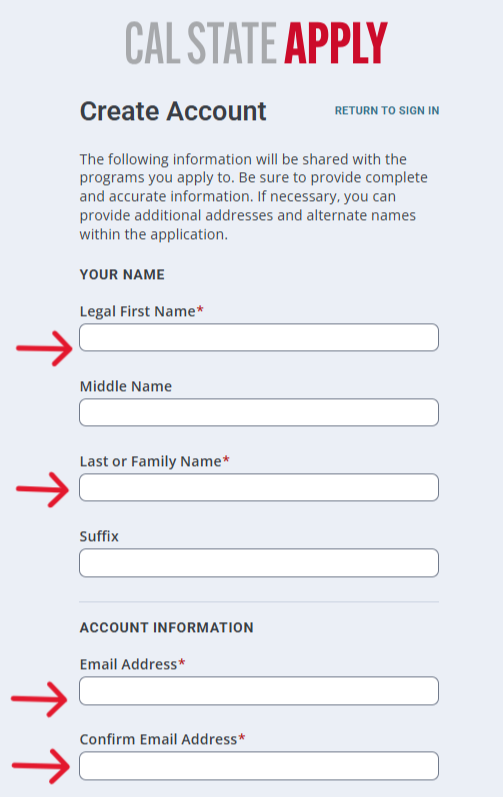
- If you are creating a new account, fill in the following information:
- Legal First Name
- Last or Family Name
- Email Address
- Confirm Email Address
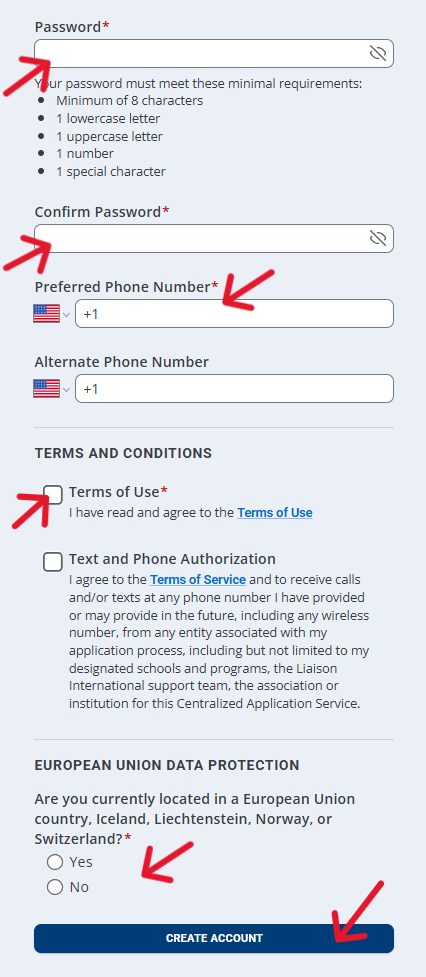
- Password
- Confirm Password
- Preferred Phone Number
- Place a checkmark by the Terms of Use
- Select Yes or No under European Union Data Protection
- Click Create Account
Step 1D.
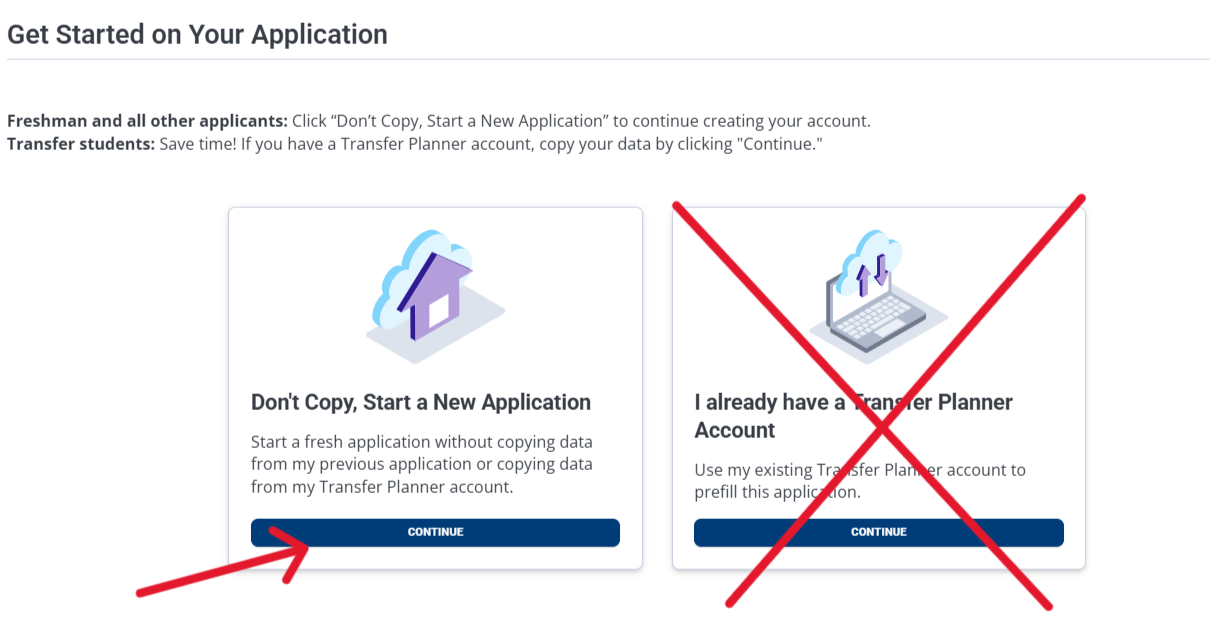
- Under Don't Copy, Start a New Application, select Continue.
- Please Note: We do not recommend using I Already Have a Transfer Planner Account as it can cause issues with your application.
Step 1E.
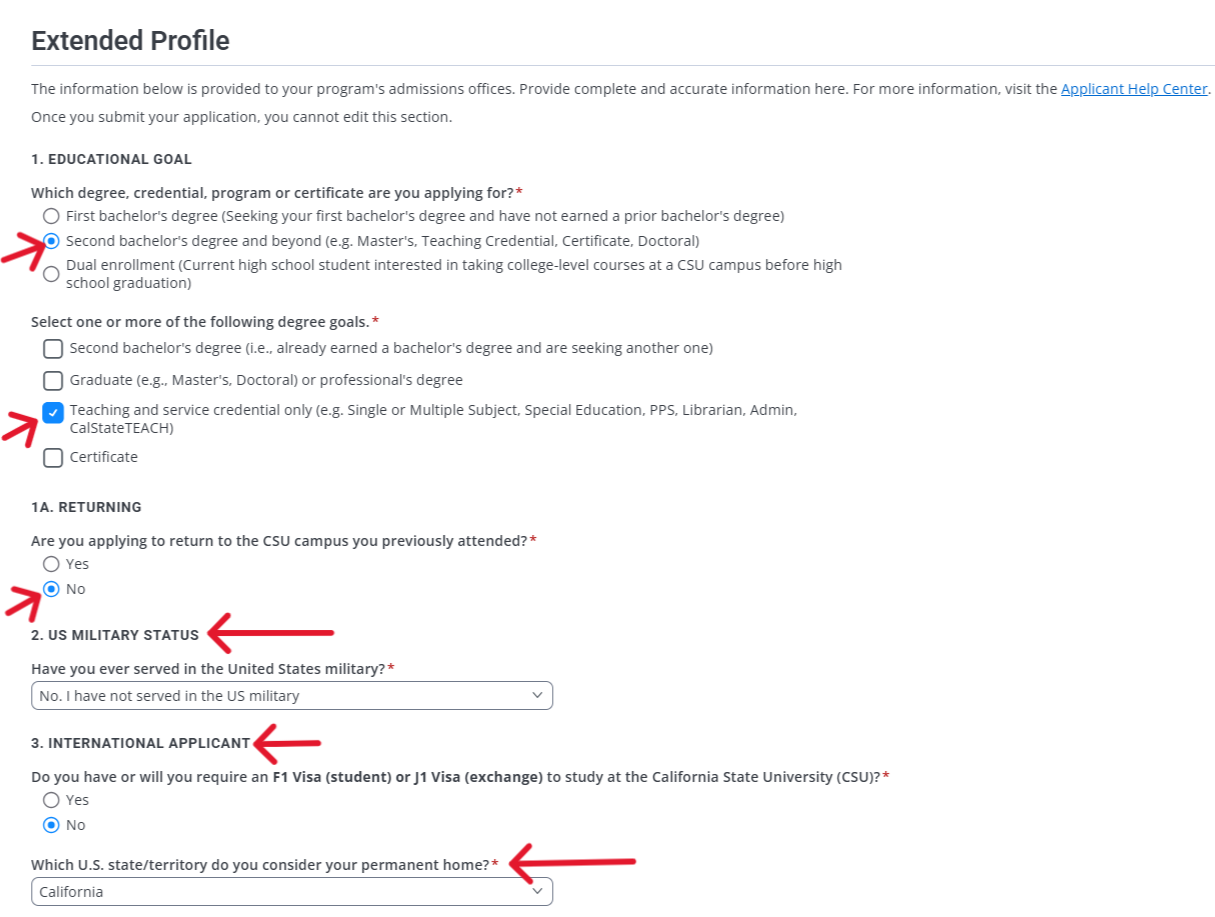
- Under Extended Profile, fill out the following:
- 1. Which degree, credential or certificate are you applying for?
- Select Second bachelor's degree and beyond
- 1. Select one or more of the following degree goals.
- Place a checkmark next to Teaching and service credential only
- 1A. Returning
- Select No
- 2. US Military Status
- Using the dropdown, select your Military Status
- 3. International Applicant
- Select Yes or No and answer any follow-up questions using the dropdown menus provided
- 1. Which degree, credential or certificate are you applying for?
Step 2: Completing the Application
Step 2A.
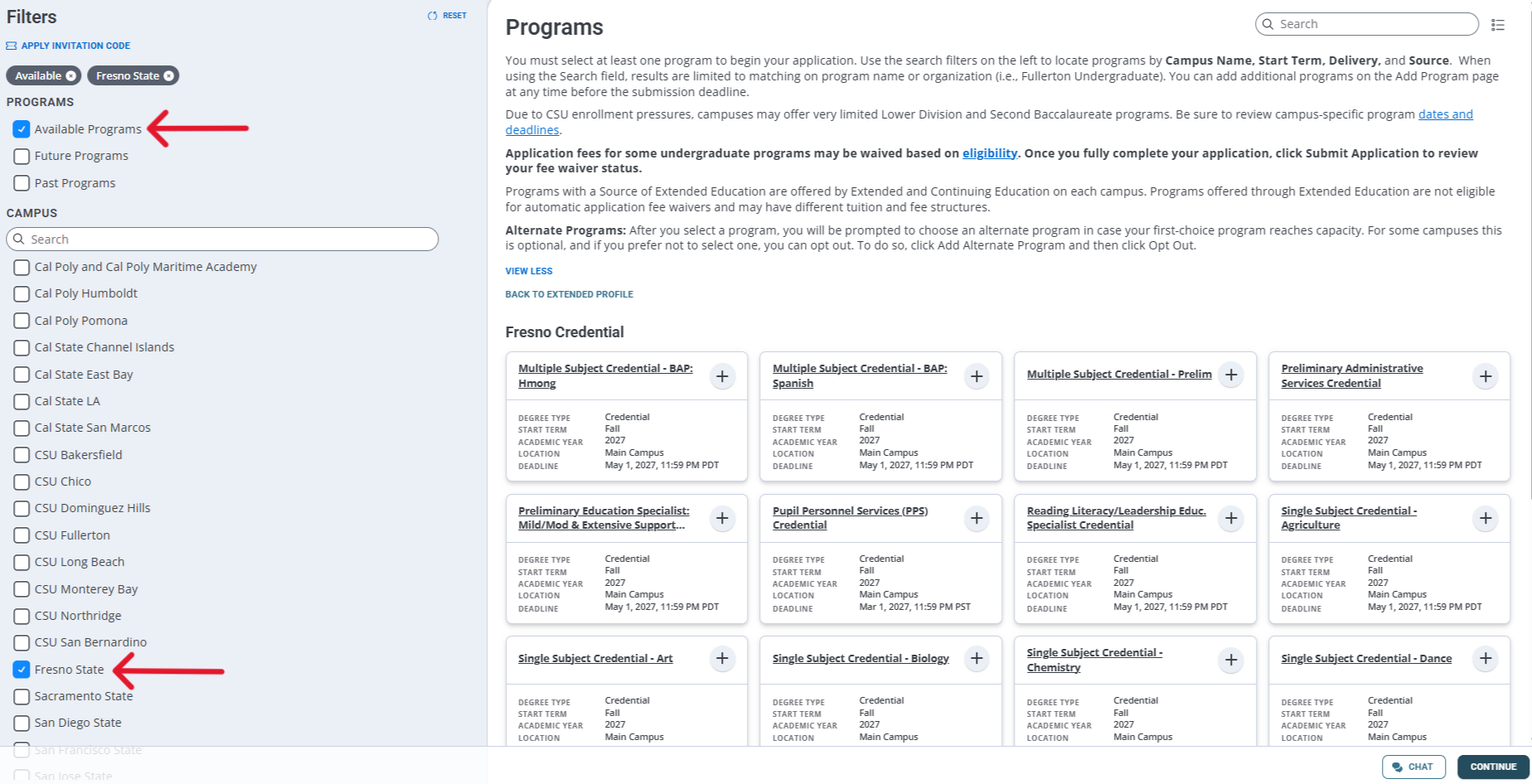
- Using the left-hand menu, select Available Programs and Fresno State to pull up the applicable credential programs.
Step 2B.
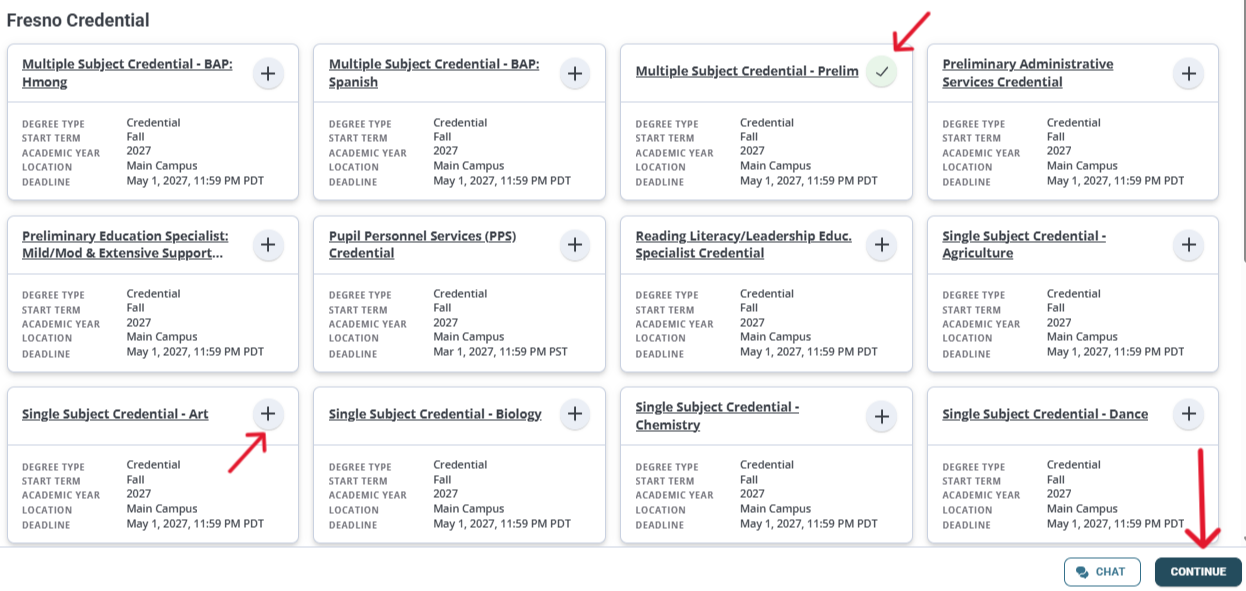
- Click the plus sign next to the program that you want to apply to. The plus sign will turn into a green checkmark.
- Next, click Continue.
- Please Note: If you are applying for the Dual Multiple Subject/Education Specialist program, please select Preliminary Education Specialist: Mild/Mod & Extensive Support Needs. If you are admitted, Fresno State will adjust your program to reflect all three credentials by referencing the information submitted on your Program Application.
Step 2C.
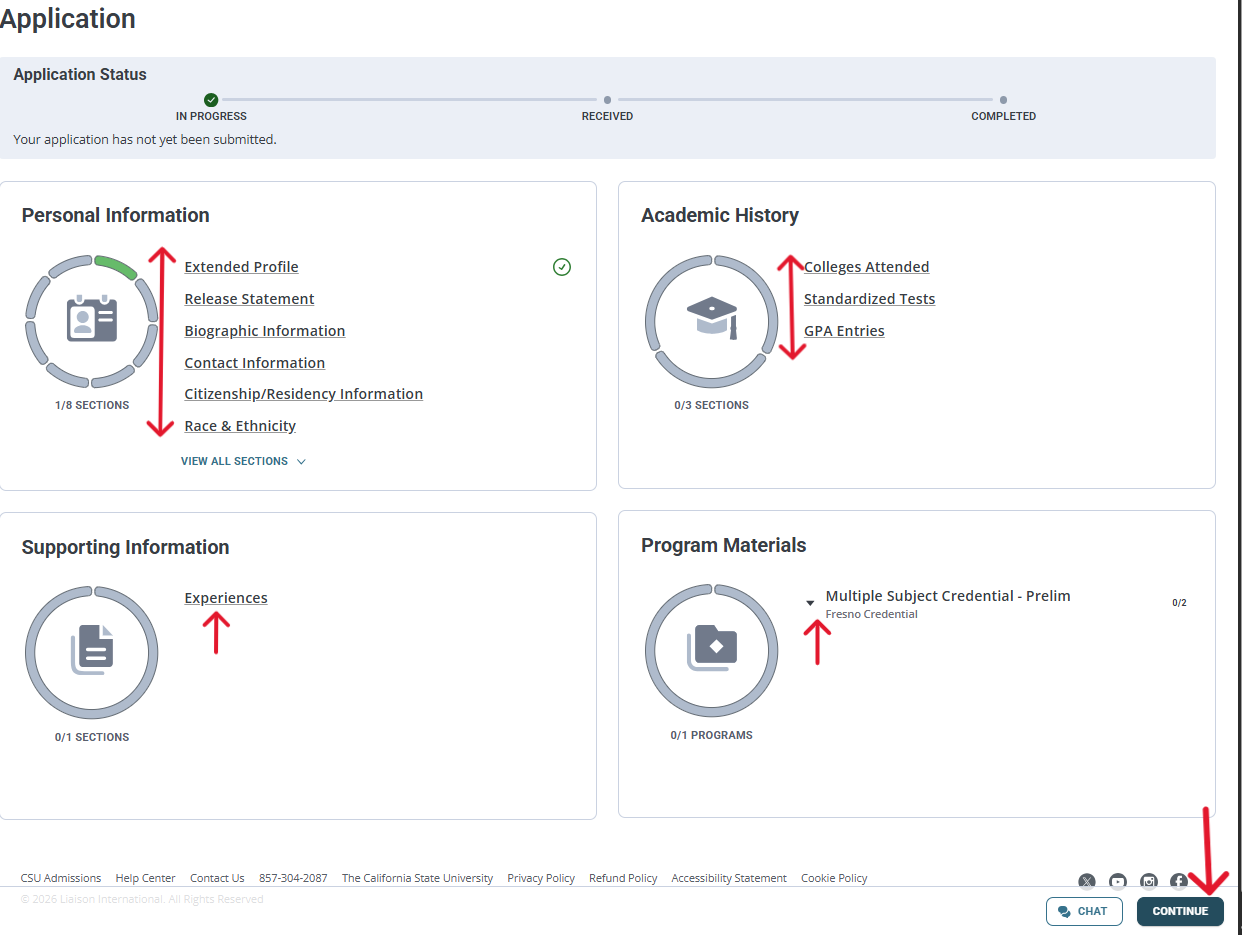
- Complete the following tiles by clicking the hyperlinked sections:
- Personal Information
- Academic History
- Supporting Information
- Program Materials (click the small arrow to view the sections)
- Please Note: In the Experiences section under Supporting Information, you can opt out of entering any experiences as this is not required for admission to the credential program.
- Click Continue to proceed to the next tile/section. As you complete the tiles, the circles within them will turn entirely green.
Step 2D.
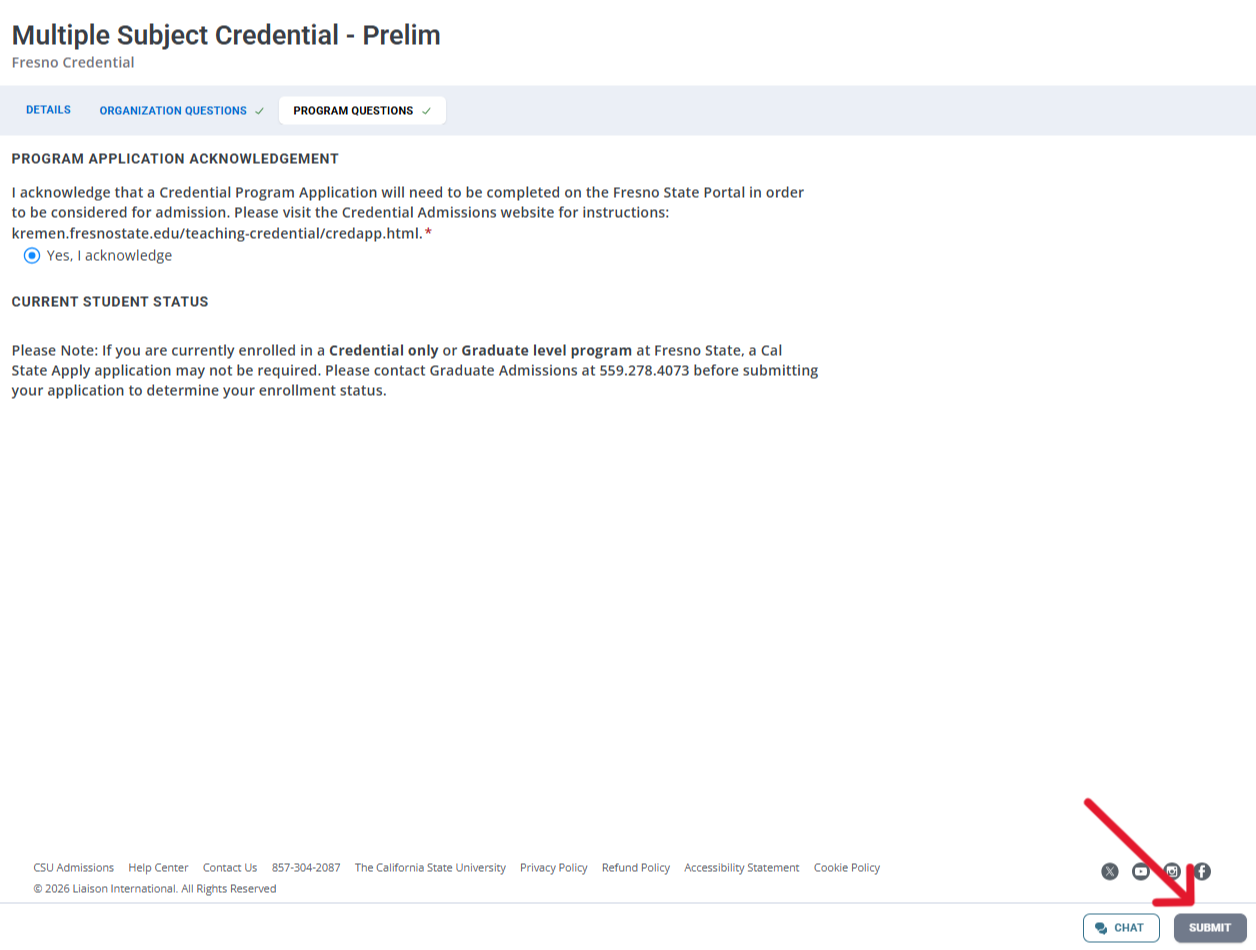
- When you are done with all of the tiles, click the Submit button.
- This will take you to the payment screen. A $70 nonrefundable fee will be due. Once you have paid, your application will be officially received.
- Please Note: Credential applicants are not eligible for an application fee waiver.
Step 3: Send Official Transcripts
- After you submit the Cal State Application, please send official transcripts from all colleges attended to Graduate Admissions electronically or via mail:
- imaging@csufresno.edu
- Graduate Admissions Office
5150 North Maple Ave. M/S JA57
Fresno, CA 93740-8026
- If you attended college outside of the U.S., please send your foreign transcript evaluation and/or official transcripts to the address above. You may also be required to send official scores for the TOEFL or an equivalent exam. Please visit this webpage and view "English Language Proficiency" for more details.
- Exception: If you are a Fresno State alum, we already have your Fresno State transcripts so you will not need to resend them.
- Please Note: Transcript delivery must come from the institution or a third party such as Parchment. You cannot email your own transcripts as they will be unofficial.
Application Troubleshooting
- If you cannot locate your credential program of choice, always double-check the left-hand panel to make sure you have selected Fresno State, and take a look at your Extended Profile to make sure you haven't checked boxes that are different from the ones specified in this guide. The Extended Profile can be found under the Personal Information tile.
- If you have applied for the wrong term, you will have to reapply to the correct one--we cannot move your application.
- If you have selected the wrong credential program, you can change it prior to submission
using the following steps:
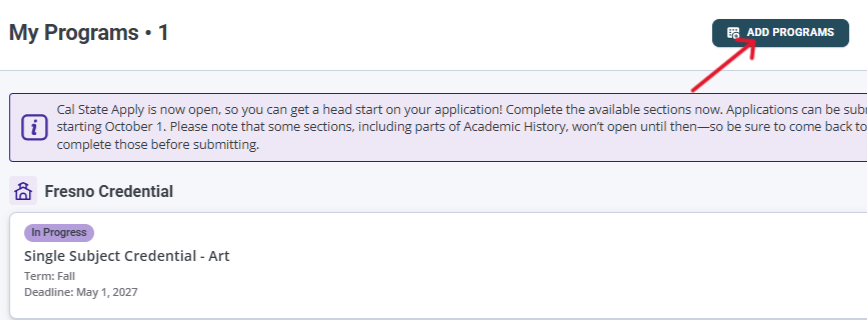
- Select My Programs
- Select Add Programs
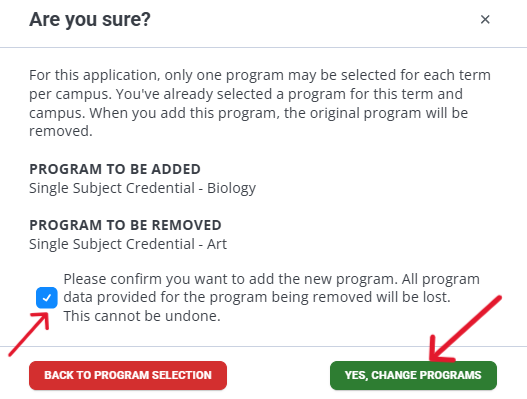
- On the Programs page, add another green checkmark to your desired program.
- You will see a dialog box. Place a checkmark by Please confirm and select Yes, Change Programs.
- Click Continue and proceed with the application from there.

- Please contact kremencredapp@mail.fresnostate.edu for any of the following reasons:
- You have applied for the wrong program and wish to have your application changed to credential.
- You have submitted an application and would like to withdraw it.
- Once the Cal State Application has been submitted, it will generate the Student ID Number that you will need in order to access the Program Application on Fresno State's portal. If you have not attended Fresno State in the past, send an email to see if the issuance of the ID can be expedited.
- If you are a Fresno State alum and cannot get into the portal with your old ID, please call Technology Services for assistance: 559.278.5000.
- For other issues, please contact Graduate Admissions or visit the Cal State Apply
Help Center.
Graduate Admissions Cal State Apply Help Center